logo declinatio DECLINATIO logo declinatio


You need to learn the cases of the Latin noun, in all 5 declensions?
DECLINATIO will help!

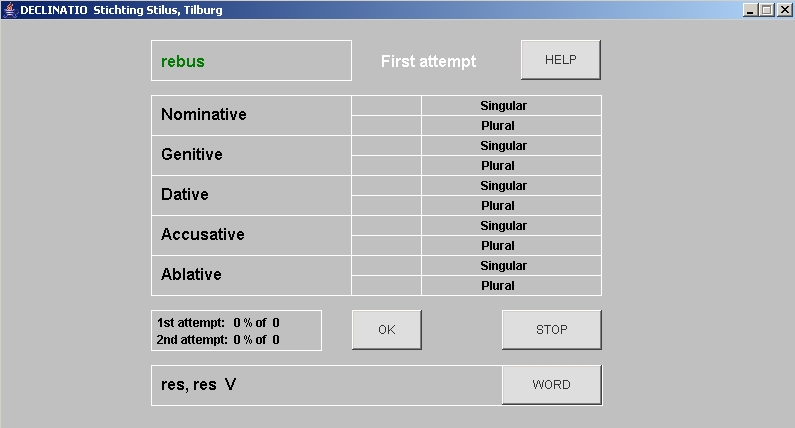
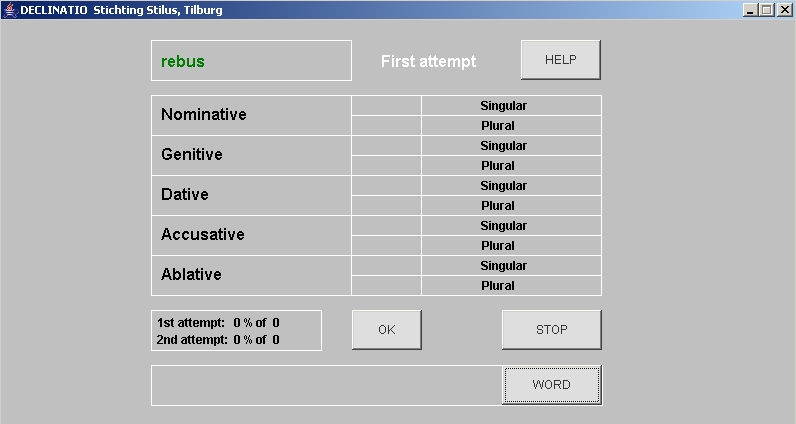
Here you find some screen dumps and
you can try a demo version.


How does DECLINATIO work?

You can learn the cases of the Latin noun with the help of DECLINATIO.

First, you check the boxes of the cases and declensions you want to practice.
This choice will be remembered by the program next time you start.
Every time the choice can be altered.


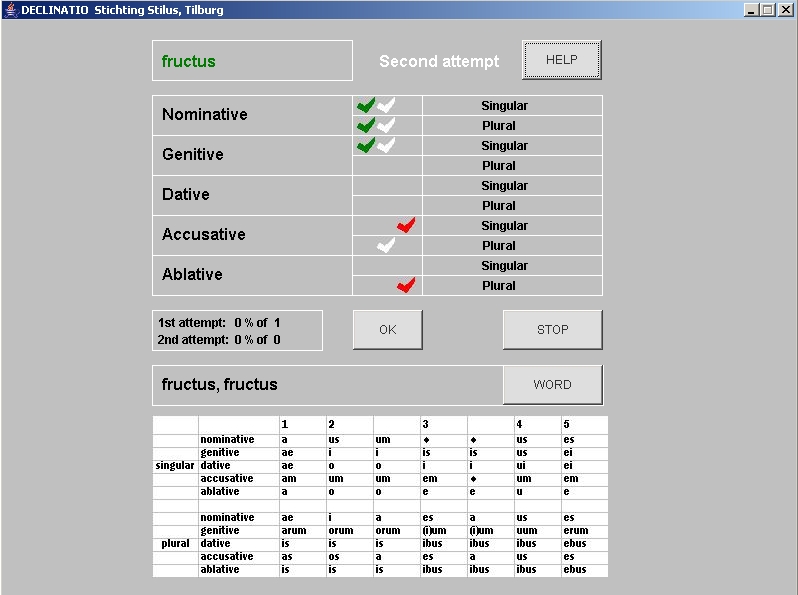
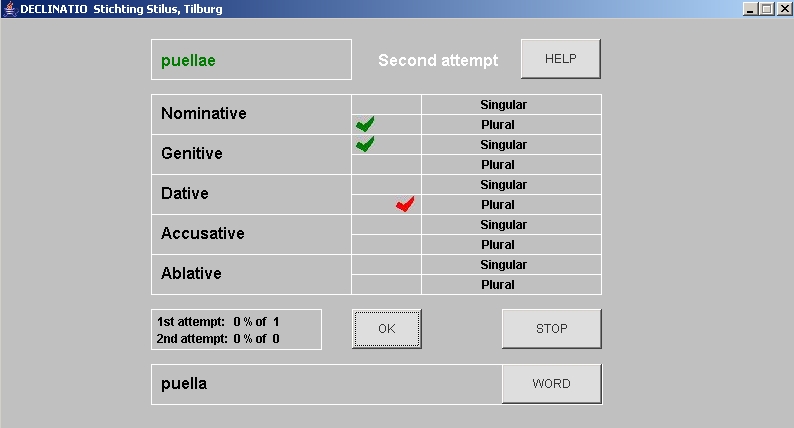
The upper left corner gives in green the word that has to be determined.
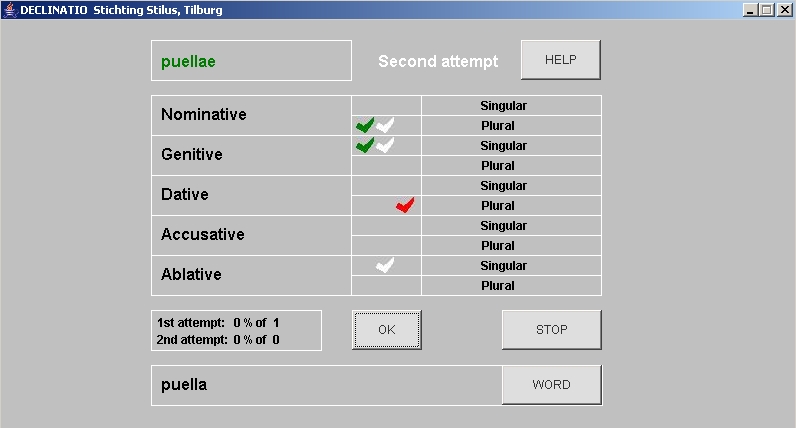
By means of checks in the middle column you choose the correct cases (in singular and plural).
All possible cases have to be checked! The OK button approves your answer(s).


When a second attempt is needed, the program gives as feedback the correct answers in green, the incorrect ones in red.

At your second attempt you have to check the correct answers for a second time!


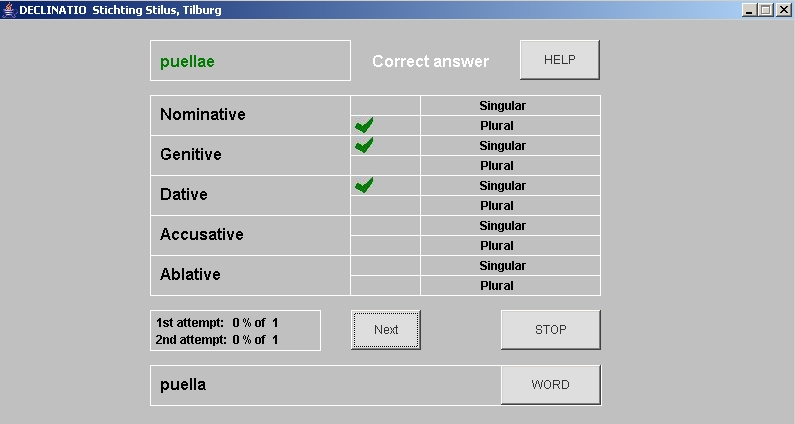
When the second attempt is incorrect, DECLINATIO provides the correct answer.


The lower left corner gives the word, as it is stated in a dictionary.
The words of the 3th, 4th and 5th declensions are shown with their nominative plural.
To the words of the 5th declension a 'V' is added to distinguish them from the words of the 3th declension.


By means of the WORD button you can choose to hide this dictionary entry.


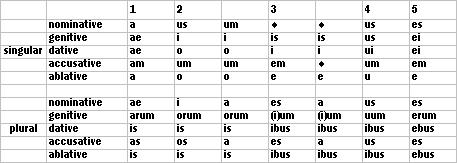
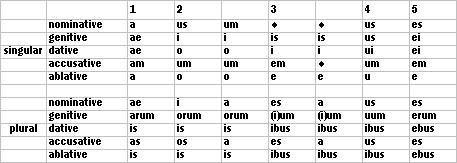
The HELP button provides a simple scheme with the endings of the cases.


Installation DEMO version

You have to install 2 files to use the DEMO (Step 1 and Step 2).
Step 3 starts the program.

Step 1 A You need to install Java 2 Runtime Environment, Standard Edition (16 Mb).
Install this program at J2SE.
B Use the button 'download' at 'Windows (on line installation)'.
C Chose 'execute' and follow the instructions.

Step 2 A Click for the DEMO.
For information on the full program, look at Buy.
B Click on the button 'open'.
In some cases you have to click on 'I agree'.
C Click on the button 'extract'.
D Type the location for the new folder, for exemple 'C:\declinatio' and
click on 'extract'.

Step 3 A Open (via 'My computer' or via 'Explorer') the folder you have made in Step 2D (e.g. 'C:\declinatio') and
start the file 'declinatio-demo4(.jar)'.
B The program starts.
Check the boxes of the cases and declensions you want to work with, and click on 'OK'.
You have to click all cases in the middle column of the following screen before clicking on 'OK'.


Notes on DECLINATIO

DECLINATIO offers the most common, regular forms of the Latin noun.
Therefore you cannot practice all types of declensions. Not in the program are the following words/types: magister magistri, the i-stems (turris and the neutra), cornu. Exceptions as vir, vis, Jupiter or domus, are absent, too.

DECLINATIO does not offer an analysis of the fault, nor does it have log-files with all the answers of a session. The feedback is given immediately by the use of the red and green checks. You can choose any combination of case and declension, so you can practice exactly what is needed.

The vocabulary consists of more than 50 words, divided over the 5 declensions. This list can easily be augmented by means of Notepad or MSWord.
The different (sub)declensions all have a unique code. The words are preceded by this code in the file 'vocabulary.txt'. Exempli gratia:
           11-puella
           21-servus
           22-bellum
           31-rex-reges
           32-urbs-urbes
           33-civis-cives
           34-clades-clades
           35-corpus-corpora
           41-fructus-fructus
           51-res-res


Buy DECLINATIO

For schools DECLINATIO costs € 65,-; I will send the program by e-mail.
If you prefer to have a cdrom with the program sent by ordinary (snail)mail, the costs will be € 72,50.

The school is allowed to distribute the program among its pupils for use at home.
It is forbidden to distribute the program otherwise.
The name and city of the school will be mentioned in the program.


How do you purchase DECLINATIO?

Option 1

Remit € 65,- (e-mail) of € 72,50 (cdrom) on account 9187030, Stichting Stilus, Tilburg, The Netherlands.
IBAN: NL 52 PSTB 0009 1870 30.
BIC: PSTBNL21.
Mention 'declinatio' and the name and city of your school.
Please contact me by mail (declinatio@stilus.nl) to inform me of the order and address of the school.

Option 2
Mail (declinatio@stilus.nl) me and I will send the program and an invoice to your school.


FAQ

You cannot install the DEMO
Probably Winzip is not installed on your computer. Instead of using Winzip, you can download the files of the DEMO one by one; it will only take a minute.
Step 1: create by means of 'My computer' or 'Explorer' a folder 'declinatio' on C:.
Step 2: save the next 7 files in this folder (right click on each file and 'save as' in the folder 'declinatio').
The files: 1, 2, 3, 4, 5, 6 and 7.

DECLINATIO does not start
  • Did you install Java 2 Runtime Environment?

  • Check if all the files are in the same folder:
    Full program: declinatio(.jar), help_tabel(.jpg), green_check(.jpg), red_check(.jpg), white_check(.jpg), diamond(.jpg) and vocabulary(.txt).
    DEMO: declinatio(_demo4.jar), help_tabel(.jpg), green_check(.jpg), red_check(.jpg), white_check(.jpg), diamond(.jpg) and gray_diamond(.jpg).

  • Perhaps the extension .jar is associated with another program, e.g. with a (de)compression program. You can check and alter this:
               Open 'Explorer'
               Choose 'Extra'
               Choose from the menu: 'Mapoptions'
               Choose tab 'Filetypes'
               Scroll to the extension 'JAR' and click on 'JAR'
               It must read: 'Executable Jar File' and: 'open with Java 2 Platform Standard Edition'
               If it does not, click on the button 'Change'
               Search for 'Java 2 Platform Standard Edition' and click
               Close all windows and (re)start DECLINATIO
  • At the start of the program there is a warning: Error. Check the FAQ etc
  • The file vocabulary(.txt) has to be in the same folder as declinatio(.jar) is.

  • There are too many Enters/Returns after the last word in the file vocabulary(.txt).
    Open vocabulary(.txt), remove all Enters/Return after the last word, save the file, and restart the program.
  • No response to your order
    There must be some miscommunication. Please contact us by mail (declinatio@stilus.nl).


    Please send us your comment:
    MAIL DECLINATIO


    DECLINATIO is made by Roel Bertens and Leo Nellissen


    © STILUS 2006 - 2007